
Your whole coaching business in one app
The MovingDay Pro app brings students, lesson bookings, swing analysis and payments together. You see what each student worked on last time, what is booked ahead and how much revenue your lessons generate.

Follow every student from the first lesson
Every student has their own student card with lesson history and notes. You can chat with students one to one or in groups, right in the app. Students who haven't had a lesson in 30 days are flagged automatically, so you can follow up with a reminder or a suggestion for the next lesson.
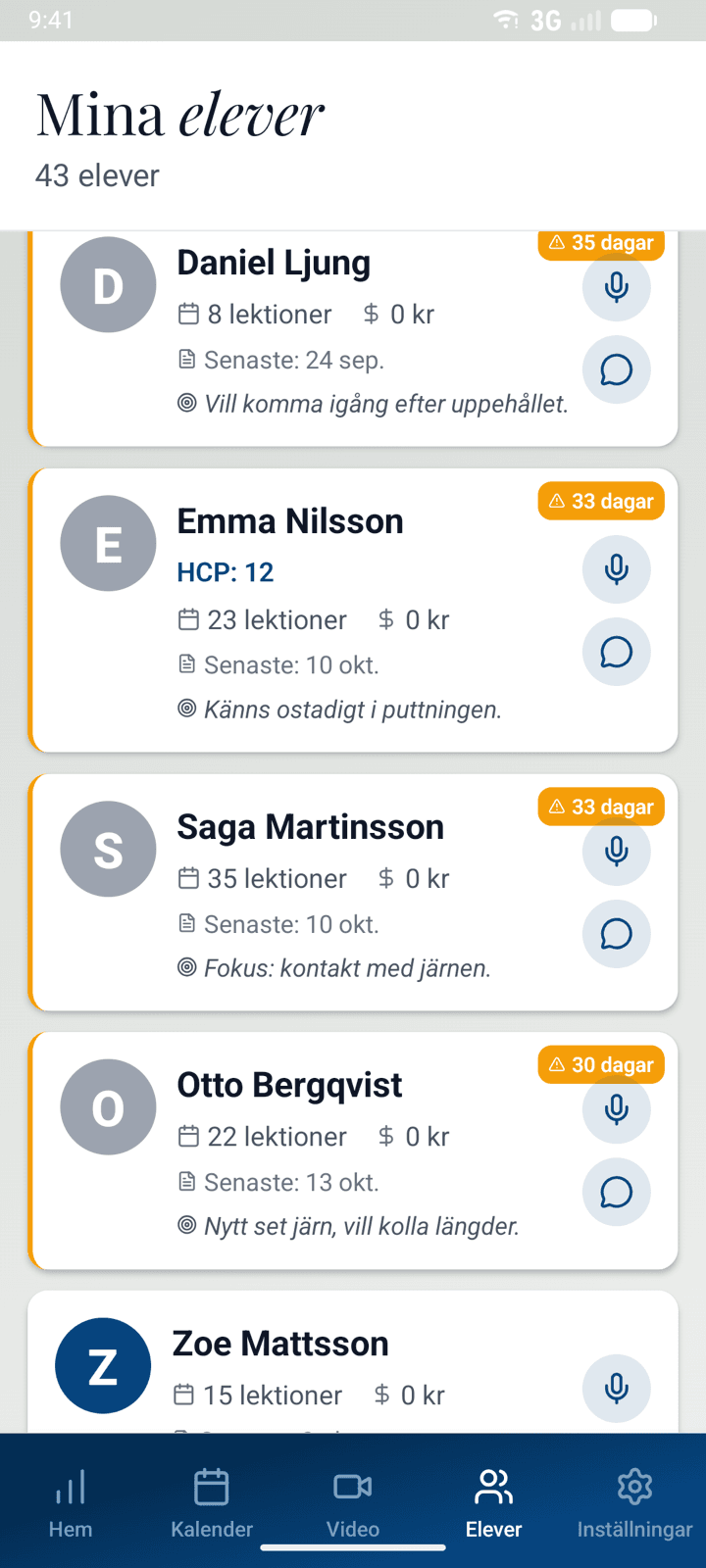
Show the swing and send the practice points straight away
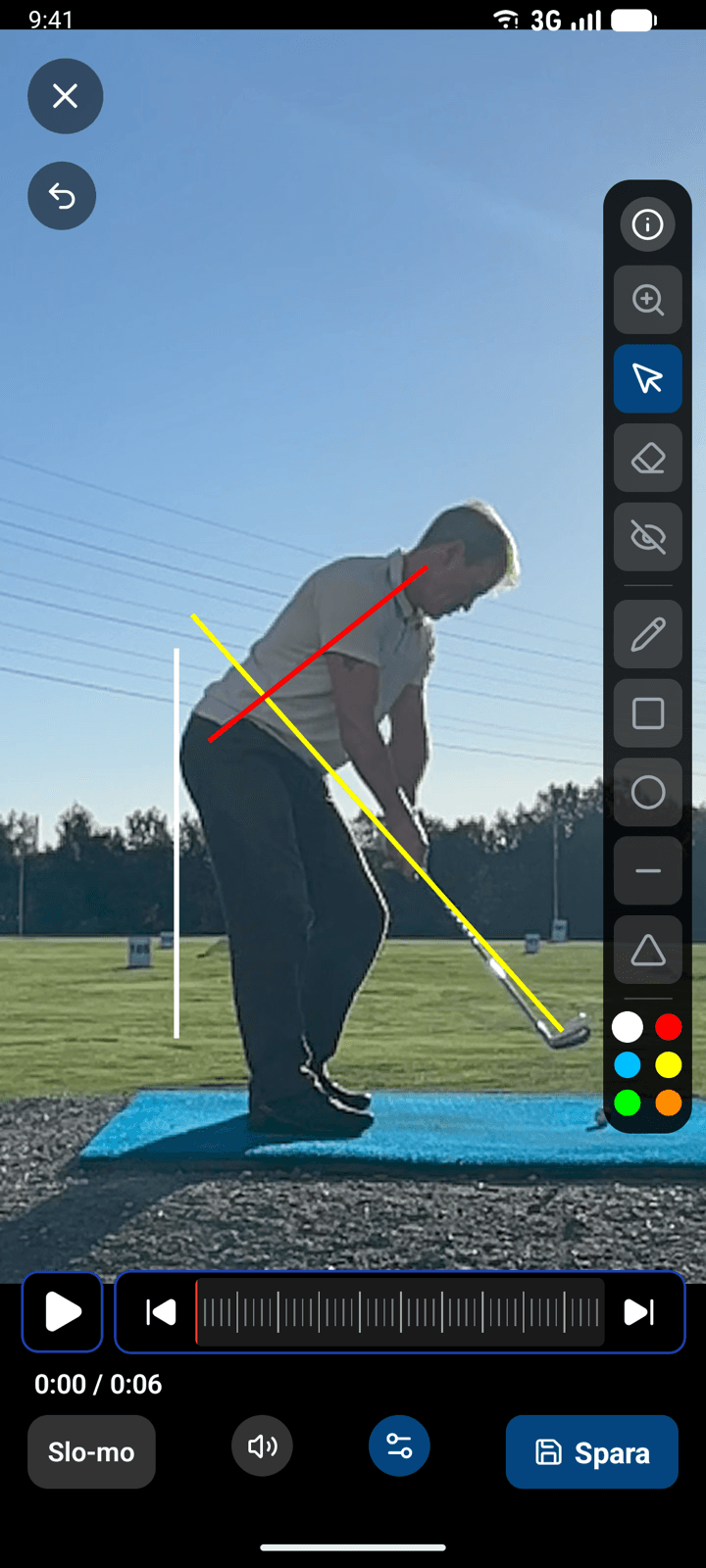
Film the student's swing, scrub the video back and forth and pause where you want to show a position. Draw directly on the image and record your explanation while you show what the student can adjust.
After the lesson you can dictate what the student should practise. The app turns what you say into a bullet list that you send straight to the student's app. Before the next lesson you open the student card and see what you worked on last time, so you can pick up where you left off.
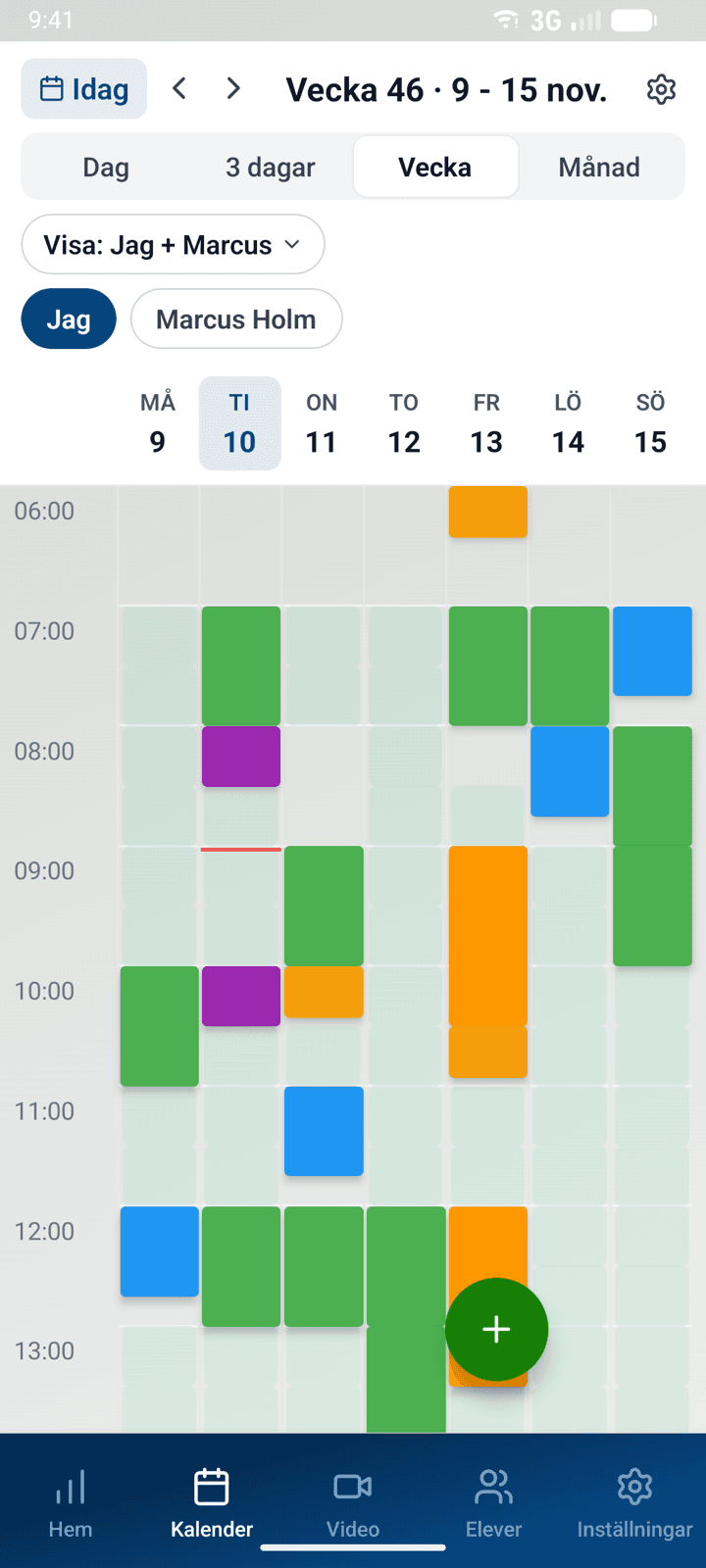
Run your calendar and book the studio at the same time
Block out time in the calendar when you need to be away. Those times disappear from the student's booking view. When a lesson needs a studio, MovingDay checks that both you and the studio are free. The student books both at once, so several coaches can share the club's studios without double bookings.
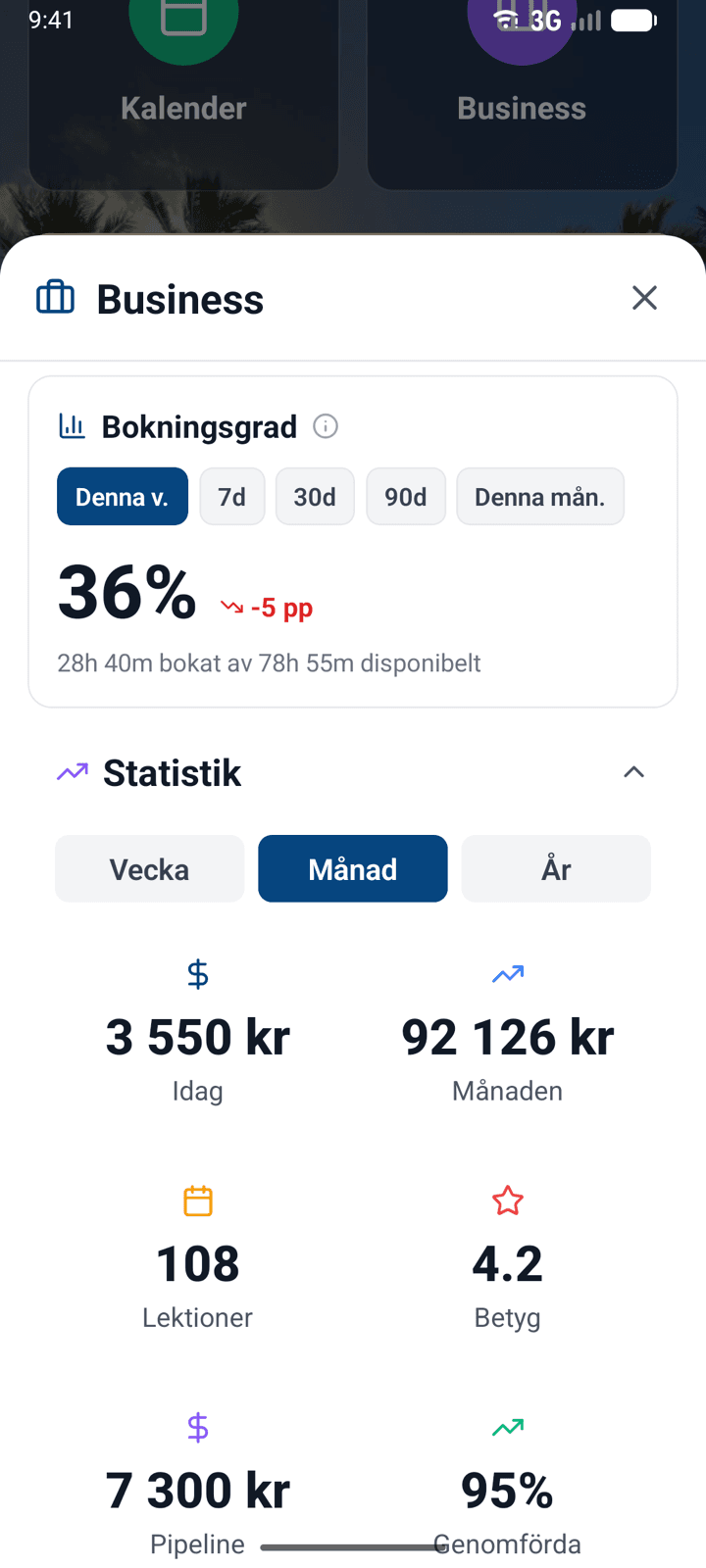
See what you have earned and what is already booked
Follow completed lessons, revenue and upcoming bookings in the same view.
You can also see how much of your available lesson time gets booked, week by week. If some times often sit empty, you know which lesson types and which parts of your schedule to look at.
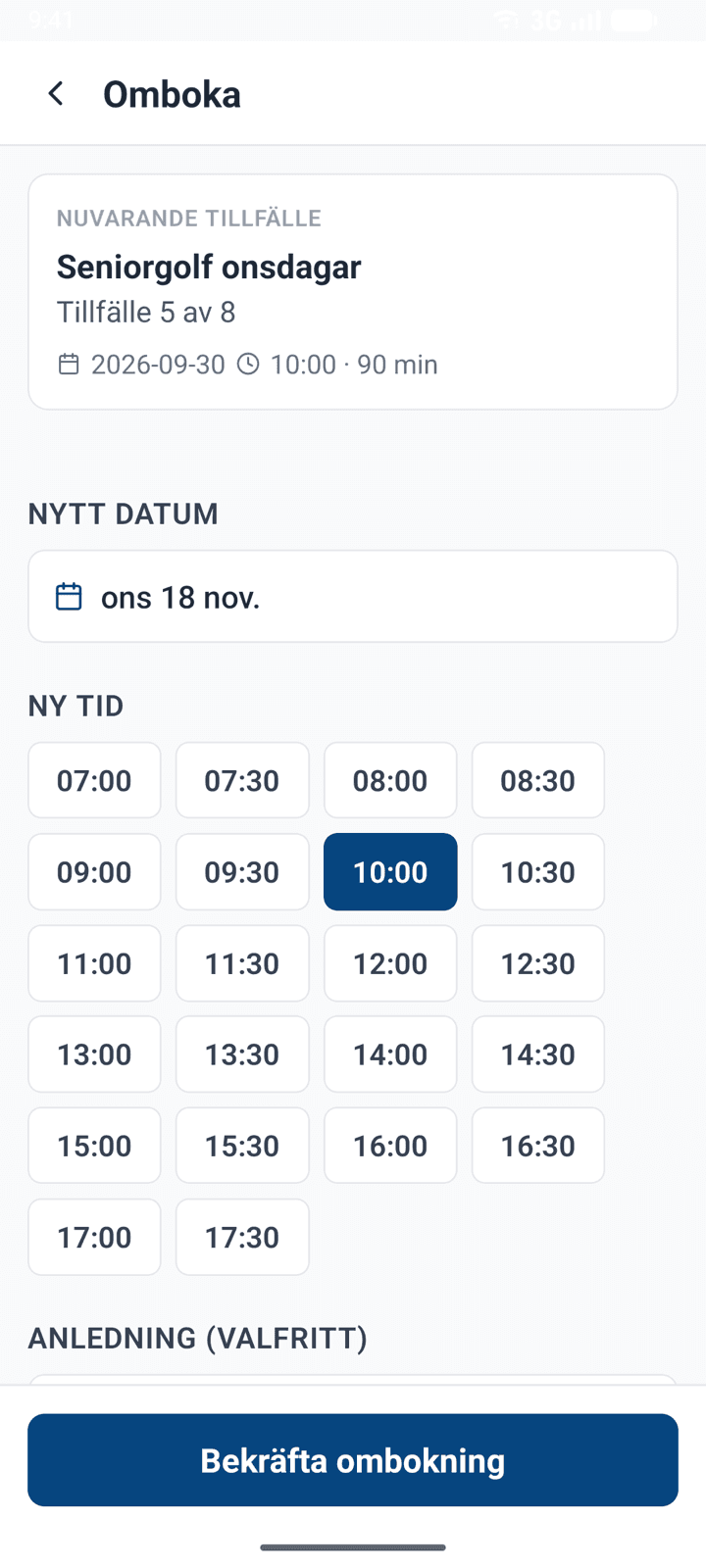
Move a course session and tell everyone with one tap
Create courses and keep in touch with participants in the app. If rain means Wednesday's session has to move, you rebook it to next Wednesday and every participant is told automatically. If you need to hand over a lesson, you move the booking to a colleague.
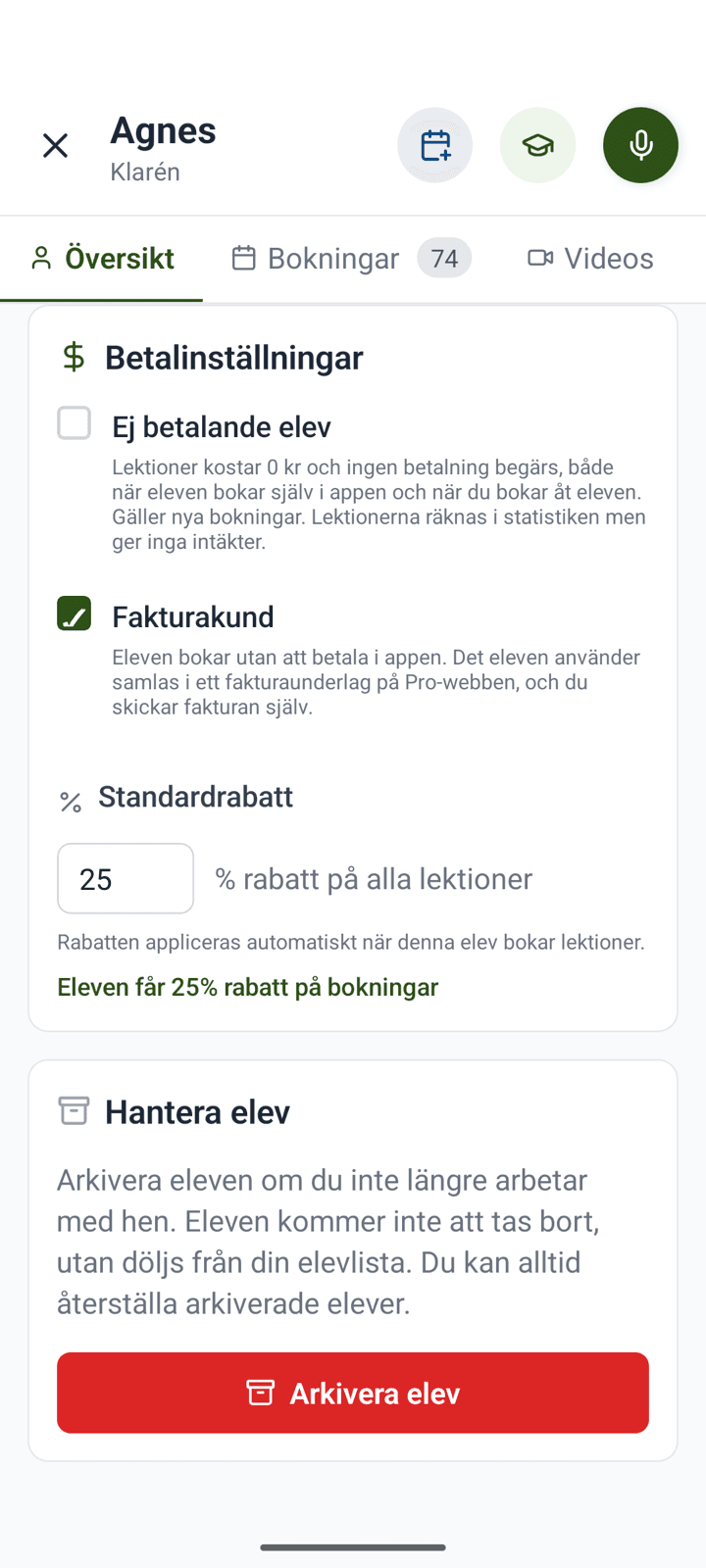
Handle payments and student discounts
Take card payment when the student books, and set discounts for individual students.
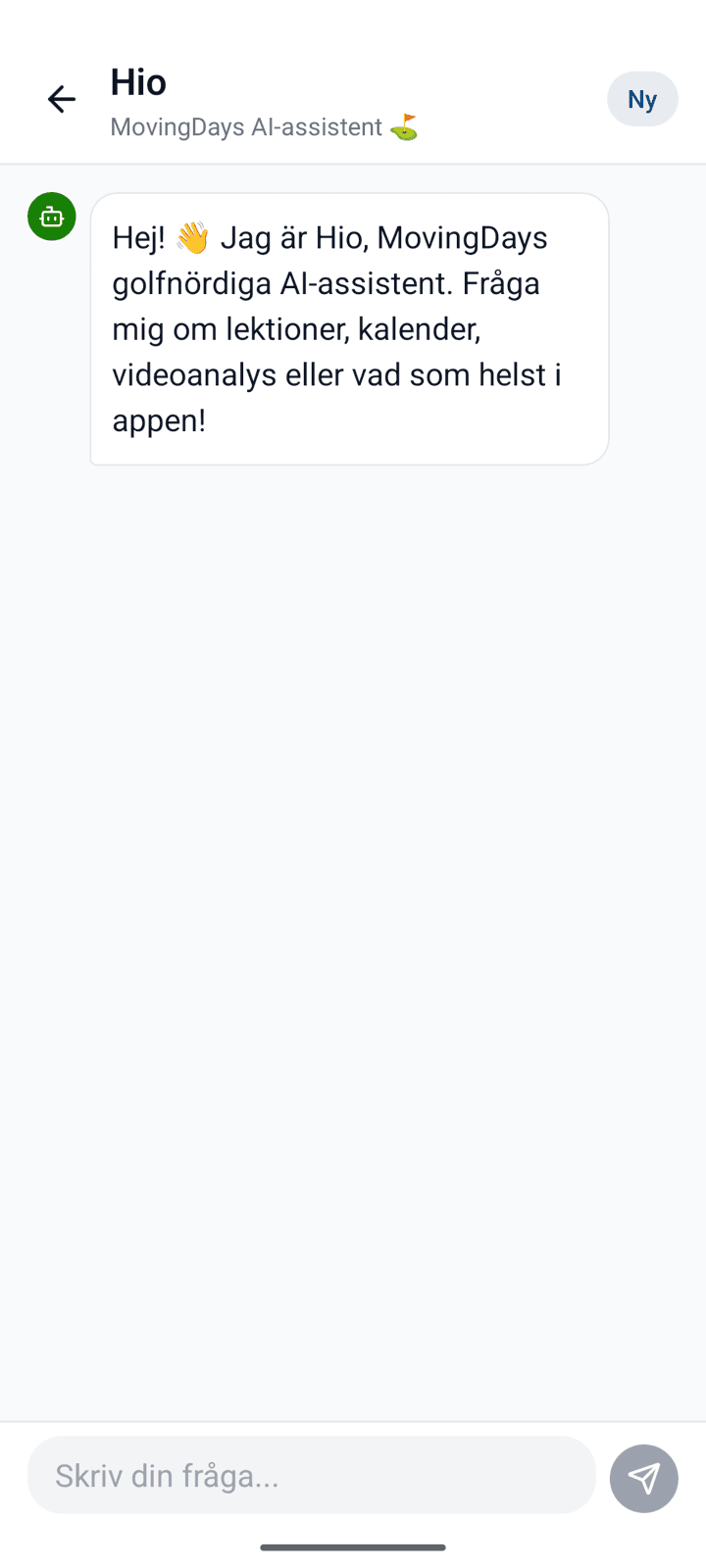
Ask Hio when you're unsure
Hio is the assistant in the app. Ask how something works and get an answer straight away, any time.
What does it cost?
The price per licence depends on how many licences are bought: the more coaches, the lower the price per licence. The agreement runs for 12 months and is invoiced annually in advance, and the first 30 days are free. A 3% fee is taken on each payment that goes through MovingDay, which includes the payment provider's own fees.
Does my club have to be on board?
No. You can use MovingDay Pro as a self-employed coach, with your own calendar, booking page and payments. If your club is connected, the club's coach licences may cover you, so ask the club first.
How do I get paid?
The student pays when they book, by card or from the wallet in the app. The money goes to your own payment account with the fee already deducted. If you work under a club, payment can go through the club's account instead, according to your agreement.
See MovingDay at your club.
Book a demo and see how the MovingDay Pro app fits your coaching week. If you would rather try it yourself, create an account and get 30 days free.